How to Spot Fake AI Profile Pictures on Dating Apps & Social Media
Romance scammers and bot networks run on AI-generated profile photos. Learn the visual tells of a fake profile picture, the reverse-search workflow, and how to verify in seconds.
The profile is attractive, the bio is charming, and the conversation is suspiciously effortless. Behind a growing share of them there is no person at all — just an AI-generated face wired to a script. Romance scams alone cost victims over a billion dollars a year in reported losses (the real figure is higher; shame suppresses reporting), and disposable, unsearchable AI faces are what made fake profiles industrial.
The good news: a fake profile is more than a face, and almost every part of it can be checked. Here’s the full workflow — visual tells, image checks, and behavioural red flags.
Why scammers switched to AI faces
Stolen photos of real people had a fatal weakness: reverse image search found the original. A generated face has no original to find. It’s unique, free, produced in seconds and — since the days of obvious StyleGAN glitches — genuinely hard to eyeball. Detection had to move from “recognise the stolen photo” to “recognise the synthetic face,” which is a forensic problem.
Visual tells of an AI-generated profile photo
Individually none of these is proof; in combination they’re telling:
- Accessories and edges. Earrings that don’t match each other, glasses whose frames differ side to side or melt into a temple, hat brims that merge with hair. Generators still struggle with paired objects.
- Hair–background boundaries. Strands that dissolve into a smear, or a halo of blur that follows the head more tightly than any lens would.
- Teeth and ears. Irregular counts, fused teeth, and ears with anatomically improbable folds — details models treat as texture rather than structure.
- Background logic. Melted architecture, dreamlike interiors, and text (shopfronts, book spines, T-shirts) that turns into pseudo-letters when zoomed. Background text is one of the most durable tells — the full artifact checklist is in how to tell if an image is AI-generated.
- The single-photo problem. One flawless, front-facing, studio-quality portrait and nothing else. Real people have angles, contexts, other humans, bad lighting, years of accumulation.
The strongest visual test: ask for variety. A generated identity struggles to produce the same face from a different angle, in different lighting, doing something specific. Which leads to the classic move — ask for a photo holding today’s date on paper or making an unusual gesture. Delays and excuses are an answer.
The verification workflow (five minutes)
- Reverse image search first. Google Images, Google Lens or TikTok’s search on the profile photo. A hit on a stock model or someone else’s account settles it — a stolen photo, not a synthetic one. No hit proves nothing (that’s what AI faces are for), so continue.
- Zoom the details. Accessories, teeth, hair edges, background text — the list above.
- Audit the profile as a whole. Freshly created account, few followers but aggressive outreach, no tagged photos by others, a feed where every image has the same too-clean AI sheen. Bot networks reuse bios and post timing, too.
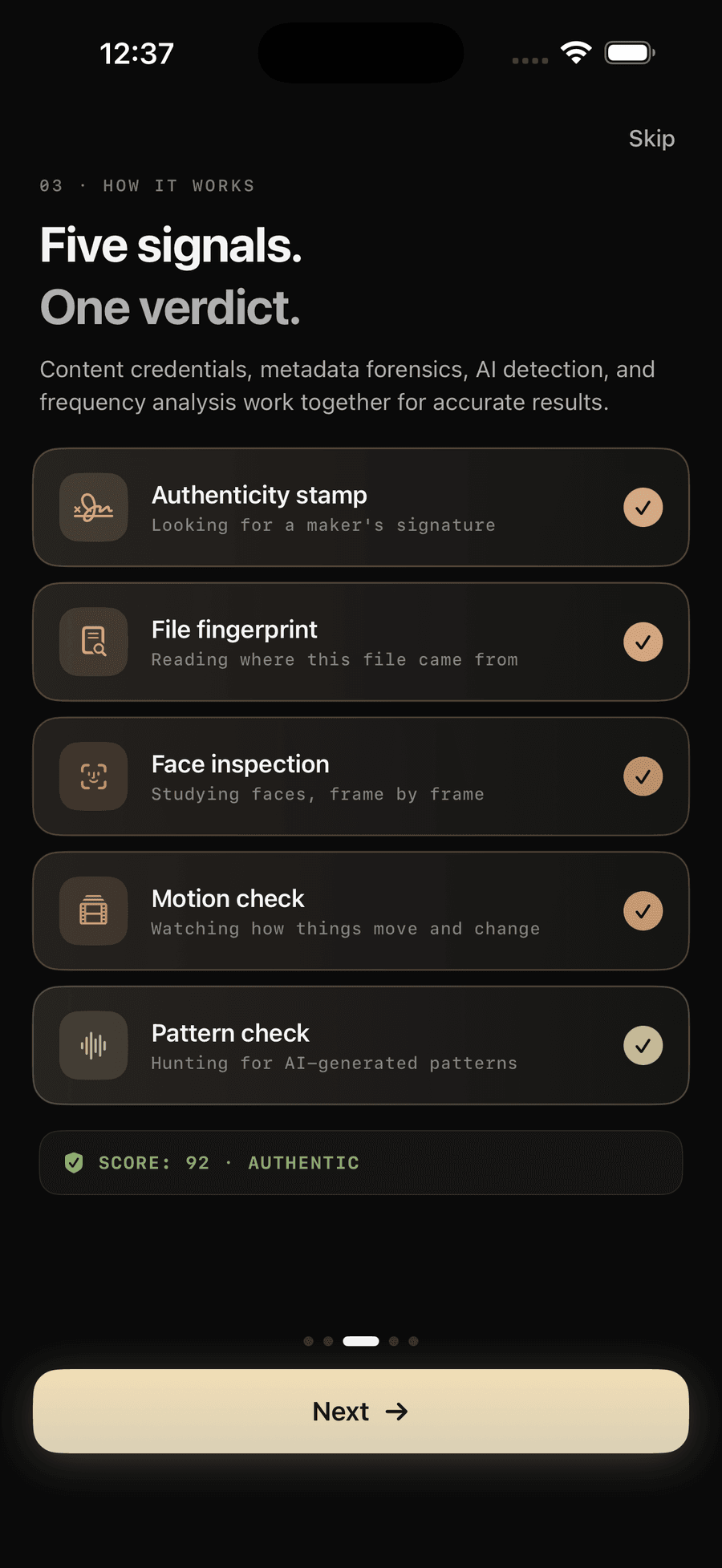
- Run the photo through forensic analysis. Visual inspection catches yesterday’s generators; the current ones need signal analysis. Verifyco checks a saved profile photo directly on your iPhone — neural face analysis tuned to generator artifacts, frequency-domain fingerprints of diffusion models, metadata forensics — and returns a confidence score with the reasoning broken out per layer. On-device, so the awkward “I’m checking my date’s photo” moment stays entirely on your phone (how that works).
- Watch the behaviour. The photo gets you in the door; the scam is in the pattern: love-bombing on an accelerated schedule, always a reason video calls fail, a sudden crisis, and eventually — money, gift cards or crypto “investment opportunities” (the pig butchering playbook). The moment money enters a relationship that began online: full stop, verify identity out-of-band.
If it’s a video call, don’t relax yet
Live face-swapping is real and cheap now. A video call that connects proves less than it used to: watch for the face-edge shimmer during fast head turns, lighting that doesn’t match the room, lip-sync drift — the full list is in 5 signs a video has been deepfaked. Asking the person to turn profile, wave a hand across their face, or pick up a named object stresses exactly what real-time swaps do worst.
Frequently asked questions
Can reverse image search detect AI-generated profile photos? No — that’s precisely why scammers use them. Reverse search finds stolen photos with an original elsewhere. A generated face has no original, so a clean reverse search result means nothing on its own.
What’s the fastest tell on a suspected fake profile picture? Zoom on paired details: earrings, glasses frames, ears. Then any text in the background. Those two checks take thirty seconds and still catch a large share of generated portraits.
Are AI profile photos against platform rules? Most dating apps and social platforms prohibit misrepresentation, and several now run their own synthetic-face screening and verification selfies. Enforcement is uneven — assume you are the last line of defence.
Someone I’ve been talking to asked for money. What now? Stop transfers, screenshot everything, verify identity through an independent channel, and report the profile to the platform — and to police / your bank if money already moved. Do not accept a video call as proof by itself.
The bottom line
An AI face costs a scammer nothing; your verification habit costs them everything. Reverse-search, zoom the details, demand photographic variety, and let on-device forensics read what your eyes can’t. Wondering how these fakes are made in the first place? Start at what is a deepfake.