On-Device Verification, Explained (Nothing Leaves Your iPhone)
Why Verifyco runs entirely on your iPhone — how on-device forensic analysis works, what the Neural Engine does, and why nothing is ever uploaded.

Most media-checking tools upload your file to a server. Verifyco doesn’t. Every signal runs locally on your iPhone, and your photos and videos never leave the device. Here’s why that matters — and how it works.
Why on-device matters
- Privacy. Sensitive media — a private photo, a leaked clip you’re vetting — never touches someone else’s server.
- Speed. No upload, no queue. Analysis starts immediately.
- Offline. It works on a plane or with no signal, because there’s no network call to make.
There is no server. There is no upload. There is no account.
What’s actually running
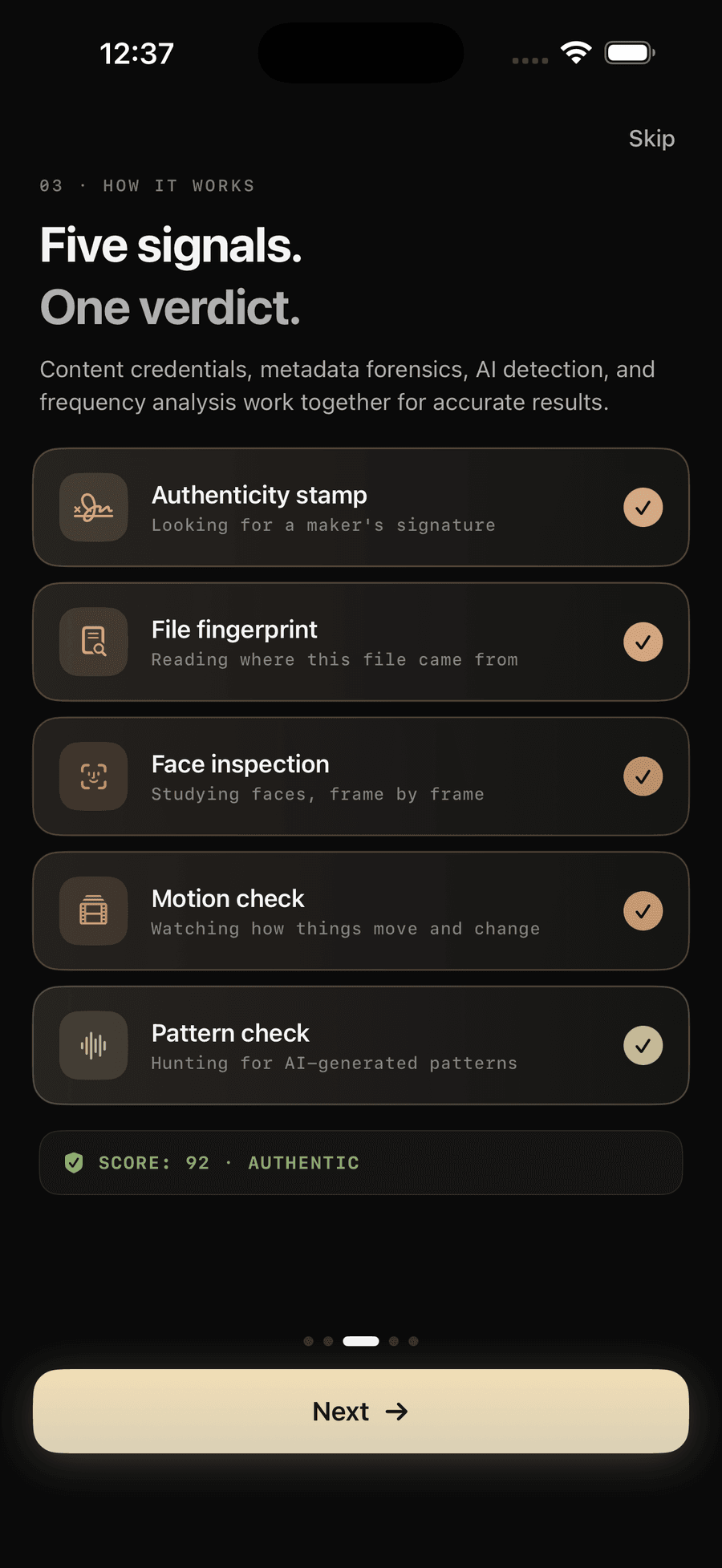
Verifyco fuses five independent forensic signals:
- Content credentials — C2PA provenance, the camera’s signed receipt.
- Metadata forensics — EXIF, encoding and frame-rate consistency.
- Neural face analysis — Apple Vision, frame by frame.
- Motion analysis — optical-flow and temporal consistency.
- Frequency analysis — the DCT spectral fingerprint of generative models.
Each produces evidence; together they form a single 0–100 trust score you can actually reason about.
The Neural Engine does the heavy lifting
Modern iPhones include a dedicated Neural Engine — silicon built for on-device machine learning. It’s what lets Verifyco run neural analysis in seconds without a cloud GPU, and without your media ever being transmitted.
The result: a forensic-grade second opinion that’s private by design, and fast enough to use before you share anything.